Building With AI: Why Skill and Domain Knowledge Still Matter
# Introduction
One hour. That's how long AI needed to create a fully functional, aesthetically pleasing website. Two months. That's how long it took me to learn how to make AI do that.
As a recent Data Science graduate, I've worked with neural networks and ML pipelines, but never touched React or any other web framework. I wanted a portfolio, and when Google released Antigravity IDE, I saw an opportunity to both test a new AI tool and finally build one.
I figured: type a command, tweak the colours and fonts, and you're done. In and out, 20-minute adventure, right?
Well, hundreds of prompts, five stages of grief, and a few gigawatts of compute later, here we are.
This post is about what I learned about AI-driven development – especially when you are unfamiliar with the domain – and how the site you are reading came to be.
# Stage 1 – No-AI
Before touching AI, I spent several weeks drowning in web development hell. Coming from Data Science, I was used to a theory-first approach – you work through the math then code it. Web development seemed backwards. Implementation came first, while the theory was either irrelevant or scattered across thousands of Stack Overflow threads.
I found a simple Next.js portfolio template and started hacking, full of pride and zero AI assistance. I meticulously selected fonts and colours, grabbed a bunch of free UI components, found a cool-looking background, and tried wiring it all together. Before long, V0 was ready.
The resulting abomination was nothing short of a web developer's fever dream. The lack of progress triggered quick burnout, and the project got shelved indefinitely.
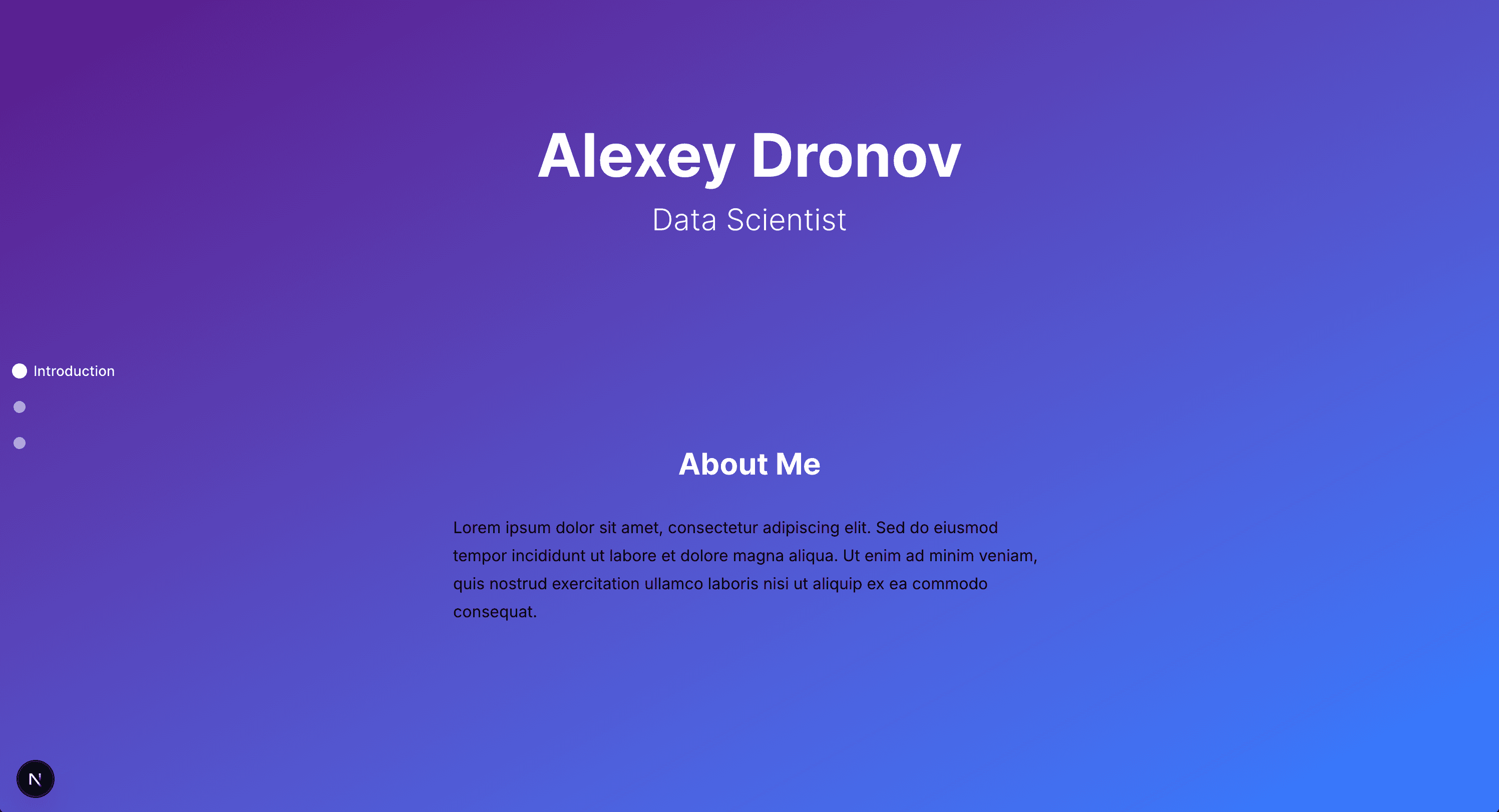
Looking back at it, the failure did matter! The concepts I absorbed – project structure, component hierarchy, Tailwind utility classes – all came into play once AI got involved. As it turns out, failing to build something yourself is excellent preparation for instructing an AI how to build it for you.
# Stage 2 – AI to the Rescue
A month later, Google released their Antigravity IDE. Free, context-aware, and capable of designing and wiring components autonomously. I fired it up and typed: "build a web portfolio with a minimalistic aesthetic".
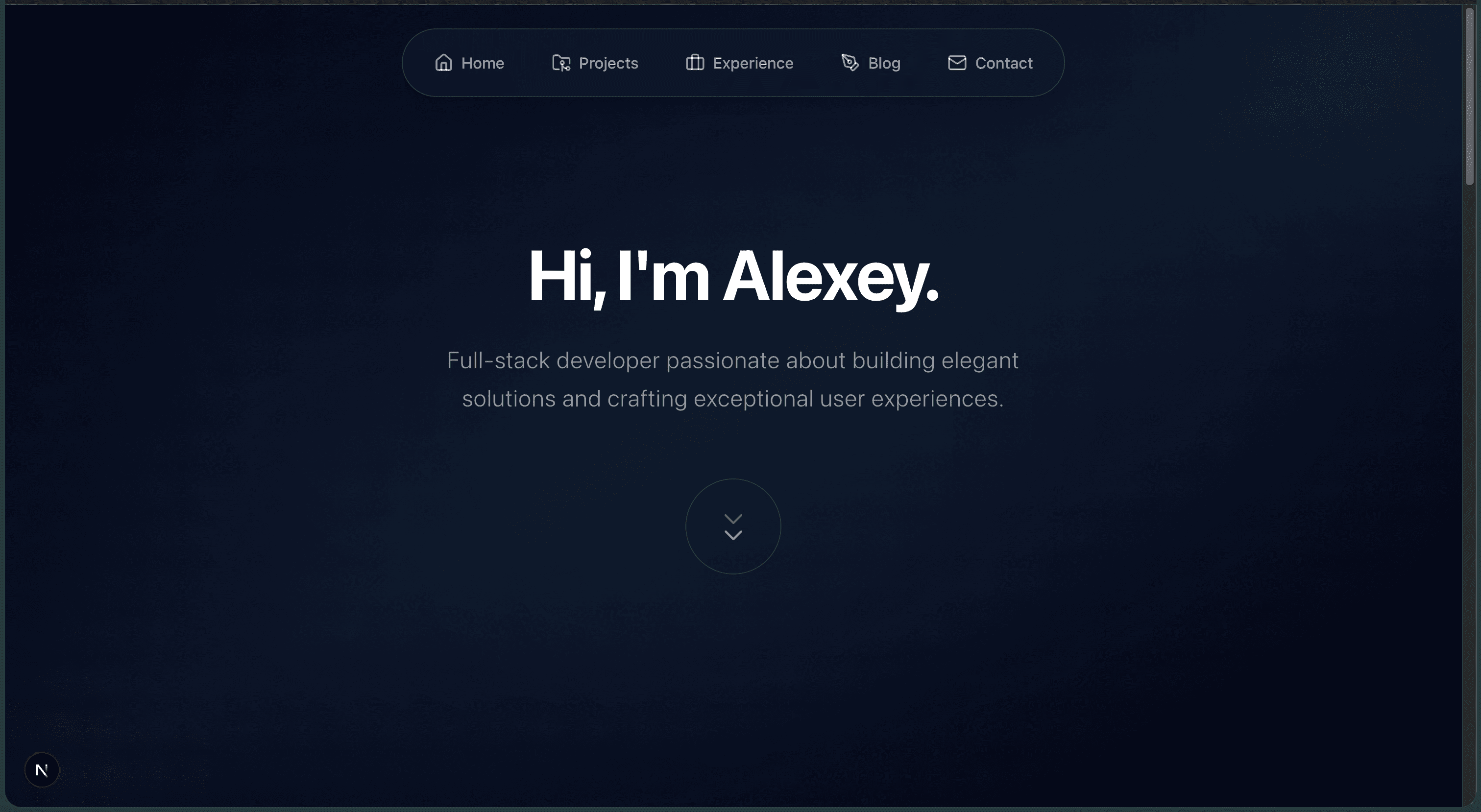
It worked instantly (well, in 30 seconds to be more precise). V1 had a clean layout, smooth animations, and fancy components. For two glorious days, I became a prompt wizard:
- "Add dark mode"
- "Add project grid with hover effects"
- "Actually, remove dark mode"
- "Add a contact form that emails me via REST API"
Each component looked brilliant in isolation. However, when viewed together, it was a visual train wreck. Inconsistent spacing, dozens of unused TypeScript files, arbitrary font sizes, lack of visual hierarchy, the list just goes on.
Here, the issue wasn't the agent's execution – it was flawless. The problem was me treating the agent as an all-capable worker, when in reality it is just a construction crew. I tried to make it the designer and the architect. The result was like scattering expensive furniture across an empty lot: each piece looked beautiful, but no one had designed the room.
Furthermore, I was prompting emotionally instead of technically:
- Bad: "Make this look better" (vague, no concrete constraints)
- Good: "Reduce vertical spacing between sections to 1.5rem and employ a rule of eights throughout" (actionable, clear technical direction).
Unsatisfied, I binned the whole project and started working on web portfolio V2 - this time with a plan.
# Stage 3 – The Human is an Architect
## Step 1 – COME UP WITH A PLAN!!!
Giving an agent a plan outlining the direction of the project, tech stack, desired outcomes and the architectural details is perhaps the most important thing you can do for a project to be successful.
This is exactly what I did, even before touching the codebase. I created an instruct.md document that could be used as a roadmap for the agent to follow. It contained:
- Project structure and tech stack
- Visual requirements (colours, typography, spacing system)
- Responsive design rules
- Guidelines for each React component.
Here's an extract from the instruct.md regarding the global colour system:
Define the following colours in
globals.css:
Primary accent: #a855f7 (purple)
Secondary accent: #ec4899 (magenta)
Text primary: #ffffff (pure white)
Text secondary: #94a3b8 (muted)
Usage rules:
- Primary – applied to the name in the hero section, and throughout the page as an accent upon hovering.
- Secondary – Used for creating a glow effect around components on hovering, and for skills in projects
This not only provided clarity for me, grounding decisions before the execution happens, but also enforced strict constraints on the agent, preventing it from deviating from the plan. That's exactly what makes agents work smoothly.
## Step 2 – Define a prompting strategy
Modern LLMs have massive context windows, but dumping a document full of instructions can still lead to confusion. Having finished designing instruct.md, I defined a prompting strategy to guide the agent through its tasks linearly:
- Global Variables: Define colours, fonts, and layout rules.
- Routing: Enforce structure.
- Components: Low-level instructions for each individual element.
I passed the prompts in a new chat to keep the context clear and prevent any sort of pollution or bias from previous commands.
The agent completed the codebase in ≈20 minutes, and the improvement over the previous iteration was noticeable immediately. The website finally looked coherent, properly structured, and visually appealing, while the codebase was modularised and understandable.
## Step 3 – Polish and make incremental improvements
At last, we are on the finish line. The agent had done most of the work, all that was left to do was testing, tidying up the visuals, and making the website actually mine.
I could have definitely used an agent for this, but I wanted to apply what I'd learned in Stage 1. By this point – through the sheer amount of debugging, inspecting the code and googling what everything meant – I was comfortable with React and Tailwind syntax.
I found a font combination that appealed to my eye, tweaked some colours, imported and wired icons, and wrote the actual content.
By far, this was the most satisfying and rewarding part of the project. It truly is incredible to see the idea spring to life from nothing but your imagination!
# Takeaways
This three-month detour was an incredible experience and a great introduction to AI-based development.
The hype (looking at you, fellow LinkedIn posters) suggests AI will replace almost any coding job. My experience seems to suggest otherwise – it alters how development plays out. Our job as software engineers becomes that of architect, designer, and manager. The AI handles the dirty work – but only if you provide a sensible blueprint and a roadmap.
Does this mean anyone can build software now? Well, yes, but not quite. Even having AI assistance requires a certain amount of skill and knowledge of the domain.
Granted, it lowers the threshold needed to create something sensible (I wouldn't have been able to create such a website fully on my own), but without the knowledge of the domain, AI becomes unconstrained and rapidly sways into the territory of messy, incoherent code.
That said, I do want to stress that AI is an incredibly useful tool capable of producing value when used correctly. It is essentially an exceptionally talented, low-maintenance, low-cost worker that is capable of producing clean, functional code in a matter of seconds.
AI is cool. Use it wisely. And remember: nothing will replace a human (for now).